


The End of Low-Code: Why we rebuilt automation from scratch
Low-code tools solved API automation. But real enterprise operations live in browsers, PDFs, phone calls, and messy workflows that require judgment.

Zapier and n8n solved a real problem. They solved it for a world where every workflow had only structured data and a clean API. No judgment was required, and nobody needed to touch a browser, a PDF, or a phone.
Most enterprise operations live outside that world.
Today, when we show our AI-driven browser automation to operations teams, they are almost always surprised. When I ask what they expected, the answer is usually the same. They thought you had to code every single step manually. They assumed the AI would not help figure out the sequence and that they would just describe each action while the machine executed it.
That is not an unreasonable assumption. It is what five years of workflow automation taught everyone.
The old model
Zapier and n8n are good at what they do. They gave non-technical people a way to connect software without writing code, using drag-and-drop UI blocks to chain API endpoints together. For a certain category of work, that is useful. Moving data between a CRM and an email tool. Triggering a Slack message when a deal closes. Pulling rows from a spreadsheet and pushing them somewhere else.
If your workflow lives entirely in the API layer, these tools work fine.
Every operations team we talk to is still reasoning from this frame. And when we try to show them what is now possible, the conversation keeps running into the same wall. Their mental model was built by 5 years of Zapier and n8n, and it has not been updated.
What became clear through those conversations was that low-code automation had solved a specific problem: connecting systems that expose structured data through clean APIs. That is genuinely useful. But it had left a much larger category of work untouched.
Think about what an operations team does on any given day. They log into a state tax portal to verify filings. They navigate a legacy insurance carrier’s website to check coverage. They open a PDF to extract information and cross-reference it against another system. They make phone calls to collect data that is not available anywhere else.
Government websites do not have APIs. Legacy insurance portals do not have APIs. A phone call does not have an API.
So what happens when a Zapier workflow hits one of those tasks? It stops.
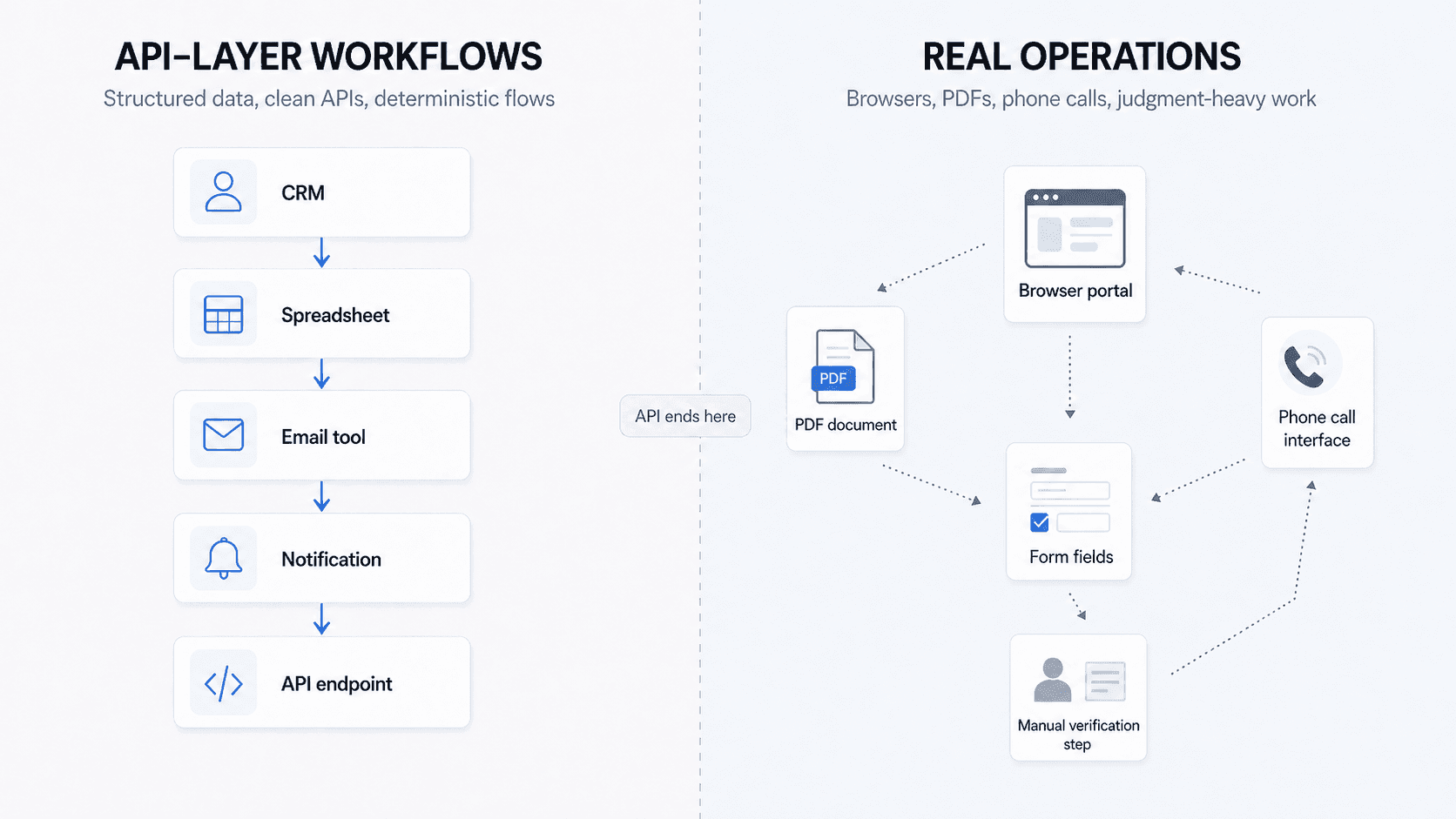
A large share of the work that costs companies real money sits right there: the browser, the document, the phone. These were not gaps Zapier and n8n missed by accident. They were built before the technology existed to handle them, and catching up now would require the entire company to shift focus. We have been building in this space from the beginning and we are still learning what the right product experience looks like for running a browser node or a voice node alongside everything else.
Where it breaks
The workaround most teams land on is duct-taping tools together: use Zapier for the API steps, call a separate browser automation vendor like Browser Use for the browser portions, and hope the handoff holds.
What you end up with is a workflow split across two platforms, with no unified monitoring, no evaluation layer, and no coherent way to understand why something failed. Did the workflow fail because the API step broke, because the browser vendor timed out, because the login expired, because the page layout changed, or because the handoff between the two systems dropped context?
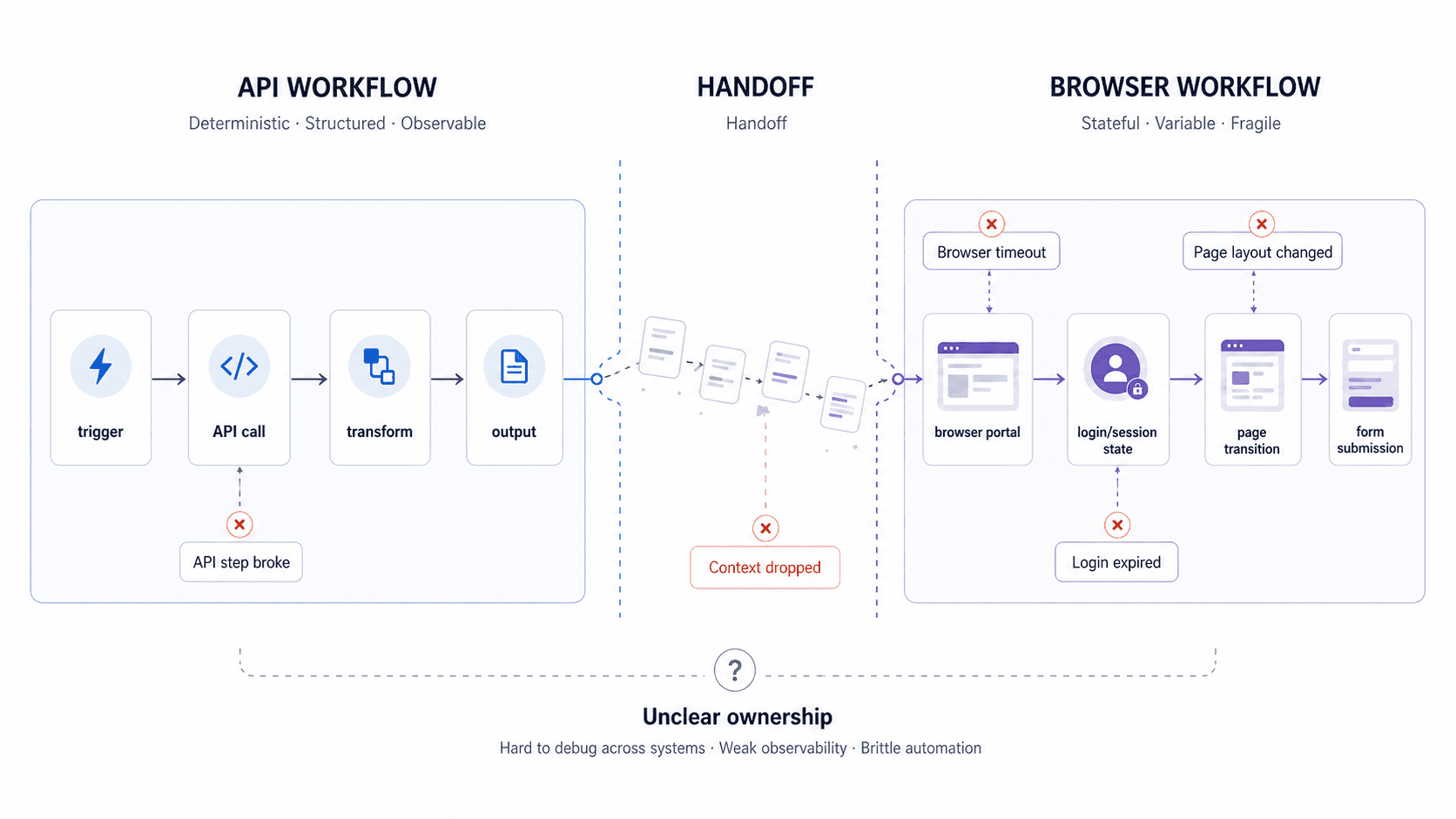
The more important the workflow is, the worse this split becomes. You can patch it. You can add more branches. But the seams stay visible, and the debugging stays manual.
The same problem exists for document processing and voice calls. Zapier and n8n were not built for unstructured inputs. They were built before the technology existed to handle them properly, and retrofitting this would require rebuilding from a different starting assumption entirely.
The judgment layer
Once we understood the API boundary problem, the next thing that became clear was that browser access alone did not solve it either.
When a voice agent calls an insurance company to verify coverage, it does not follow a fixed script. Every interaction requires a decision. The phone tree might have changed. The hold time might affect the flow. The representative might ask a clarifying question. The number of steps is not predefined, and the options at each step are not predefined either.
The same is true for browser automation. After every click, every page load, every form submission, there is a judgment call about what to do next.
An if/then branch can handle a binary. If this condition is true, do this. But consider something as simple as a customer replying, “I’m busy next week.” That response has to be understood in context. Is it a soft no? A reschedule request? An opening to propose a specific time? The system has to interpret it and decide which of several possible next steps makes sense. That kind of operating environment cannot neatly fit into a binary if/then branch.
Adding more branches does not solve this. You can keep drawing a bigger tree, but browser flows and phone calls do not stay neatly inside a tree for very long. A page loads differently. A rep asks an unexpected question. A field is missing. A document does not match the format you expected.
Humans handle this by making small judgment calls in the moment. Traditional workflow logic expects the world to stay predictable long enough for the diagram to hold. It rarely does.
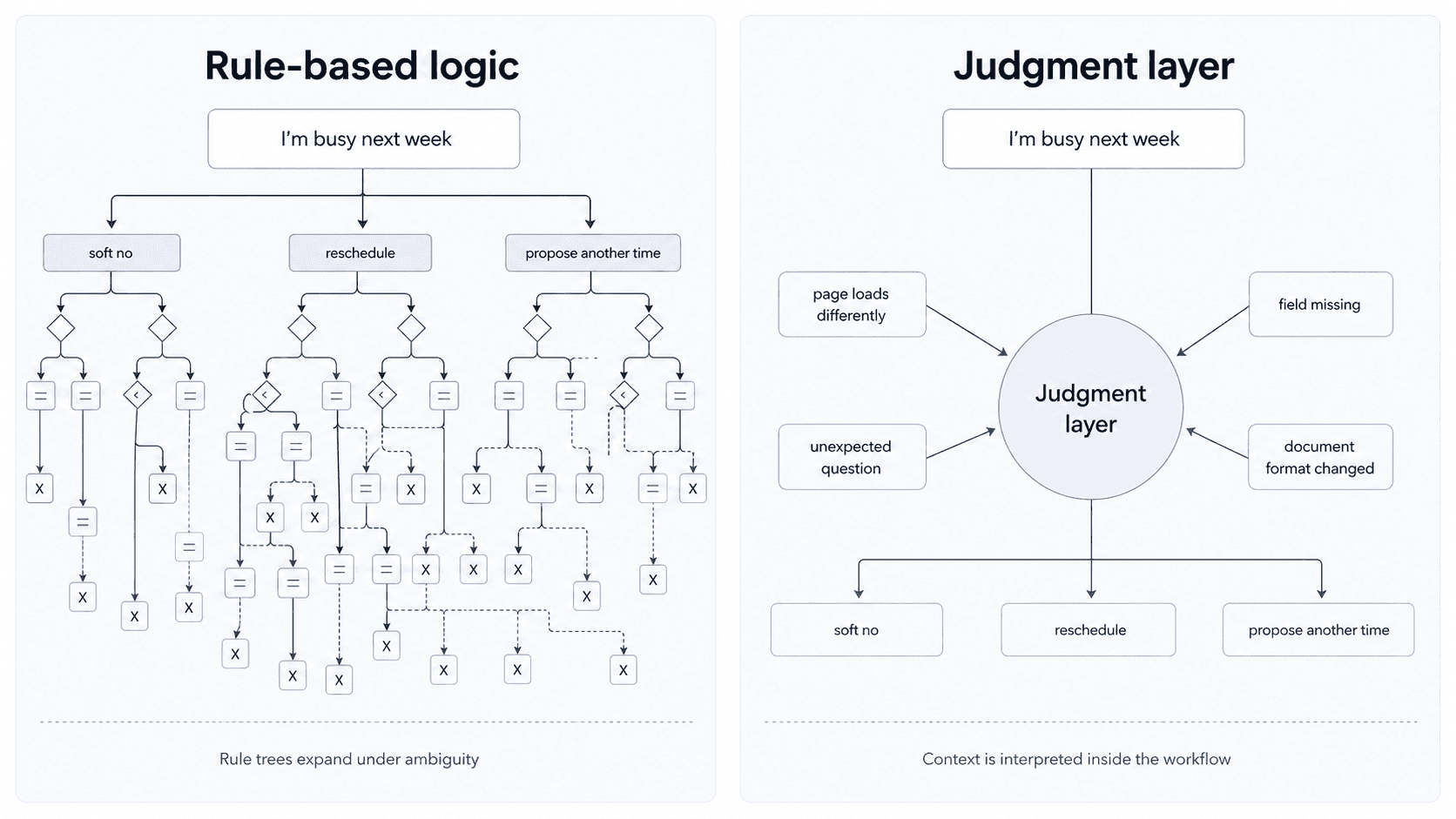
The judgment layer is what AI makes possible for the first time. It can make micro-decisions inside a workflow, based on unstructured inputs that no rule system could have anticipated. That is the actual unlock, not text generation, not question answering.
Not all automation is the same
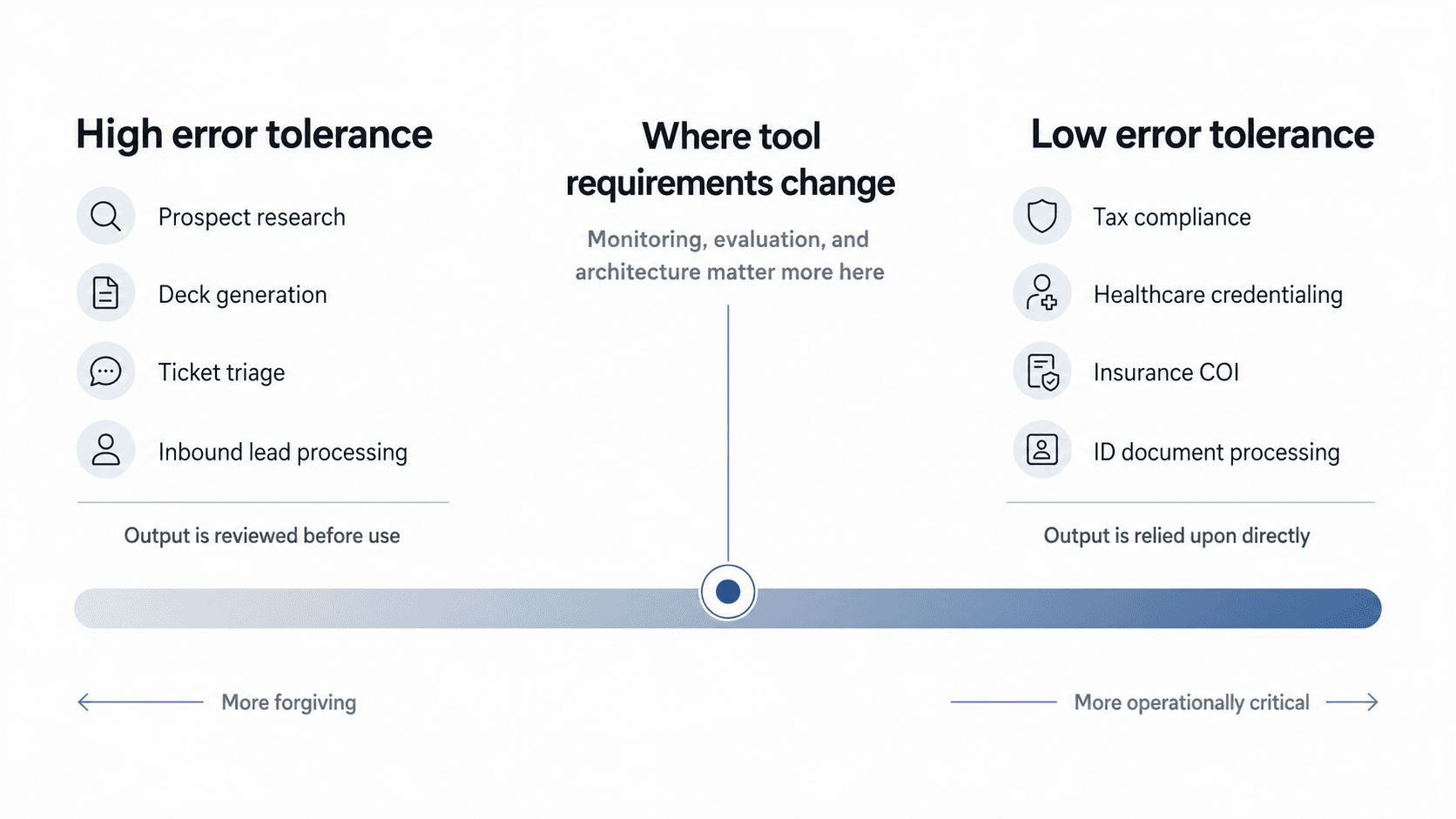
Not every workflow has the same tolerance for error, and that distinction shapes everything.
Instacart was using Gumloop before they came to us. It is a good product for the kind of workflows it is built for. The workflows it handles best are generic business tasks: prospect research, deck generation, ticket triage, inbound lead processing. Common workflows that look roughly the same across thousands of companies, where the tolerance for imperfection is relatively high. If an AI-generated prospect deck has a couple of errors, a human catches it before it goes out.
Instacart’s problem was different. They have a BPO dedicated to checking grocery store receipts for tax compliance. High volume, specific to their operational model in a way no horizontal tool could template, and the tolerance for error is practically zero. You cannot hallucinate tax compliance. Gumloop was not the right fit, and the reason was structural, not a product quality issue.
The same pattern shows up across the workflows we handle: healthcare credentialing, insurance certificates of insurance, ID document processing. In each of these cases, the system is carrying out a business process that has to run correctly. The output is relied upon directly, not reviewed before it goes out. Those are different standards, different product requirements, and different buyer expectations.
The question is not just whether the workflow can be automated. It is how much error the workflow can tolerate before the business stops trusting it.
The difference between generic tasks and this kind of work is the difference between helping individuals move faster and replacing a process that previously required a full team. Generic tools improve throughput. What Instacart needed was a workforce replacement.
Why we rebuilt it
I was not thinking about this specific problem two years ago. The technology was not there.
What changed around Q4 of last year was a few things at once. Models got to a point where they could construct and iterate on workflows, not just answer questions about them. Multimodal capabilities for browser, voice, and document processing matured to where production deployments became realistic. The pattern we kept seeing in conversations with companies pointed to the same gap: engineers can now build things with AI that operations teams cannot even imagine are possible.
But the more important realization was architectural.
You cannot add browser automation to Zapier and get a production-grade system. You cannot call a voice vendor from n8n and expect coherent debugging when something breaks. The UI block abstraction, which made sense when the only thing you were connecting was APIs with structured data, actively works against you when your workflows need to span browsers, documents, and phones. You end up managing the seams instead of managing the work.
There is also a point where the canvas itself becomes the problem. A workflow that takes 20 lines of code to express might take 20 UI blocks on a canvas. n8n actually built a feature to add comment blocks directly on the canvas because complex workflows had become impossible to interpret without annotation. If the visual system now needs another visual layer just to explain what the first one is doing, the abstraction is no longer simplifying anything. At that point, a compact block of code with a plain-English explanation beside it, where an LLM can describe what’s happening in natural language on demand, is more maintainable than the canvas.
LLMs changed the equation here. You can describe what you want in plain language and have the system generate the underlying logic, maintain it, and fix edge cases automatically based on previous run results. The canvas was a workaround for a world without that. We are not in that world anymore.
The new architecture had to start from a different assumption - that a production workflow for operational work will always require browser access, document processing, voice, and code, running together under unified monitoring, with a judgment layer that can handle what the rules do not anticipate. You cannot get there by adding more nodes. You have to build it that way from the start.
That is what we did at Champ AI.
Ted Cheng is a Co-founder at Champ AI. Before Champ, he spent nearly a decade at Instacart, where he led the enterprise integration team that built white-label grocery commerce for Costco, Kroger, and others, and ran the growth tiger team that doubled new user activations before the pandemic.
Continue reading
See all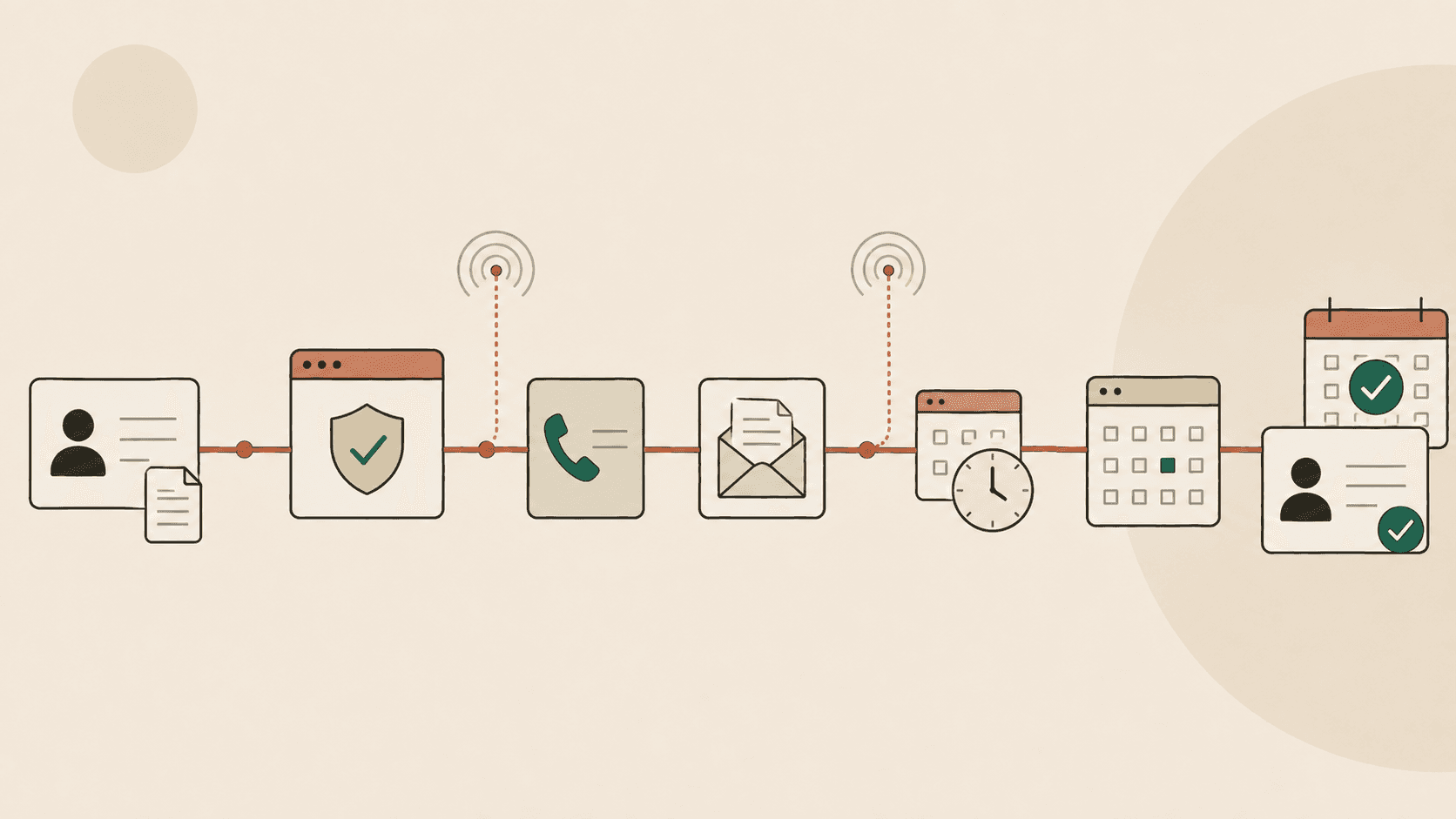
The World Doesn't Need Another Point Solution
Most software automates one step and leaves people to manage the gaps. Champ keeps one case open across workflows, channels, and systems until the work is finished.
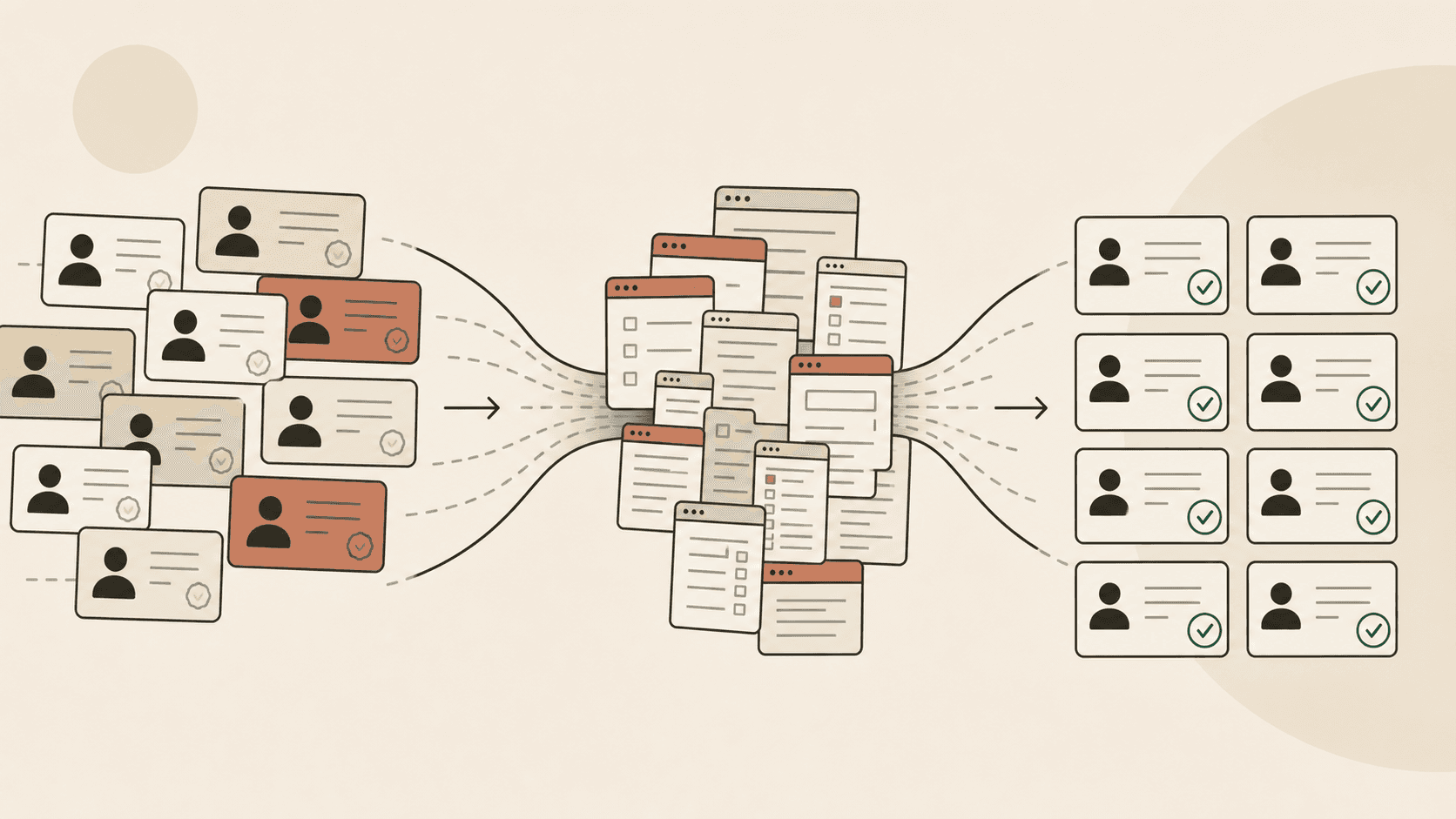
The Hidden Tax on Provider Growth
Digital-health networks can recruit providers faster than they can make them billable. The gap between a signed contract and payer activation is the hidden tax on provider growth.
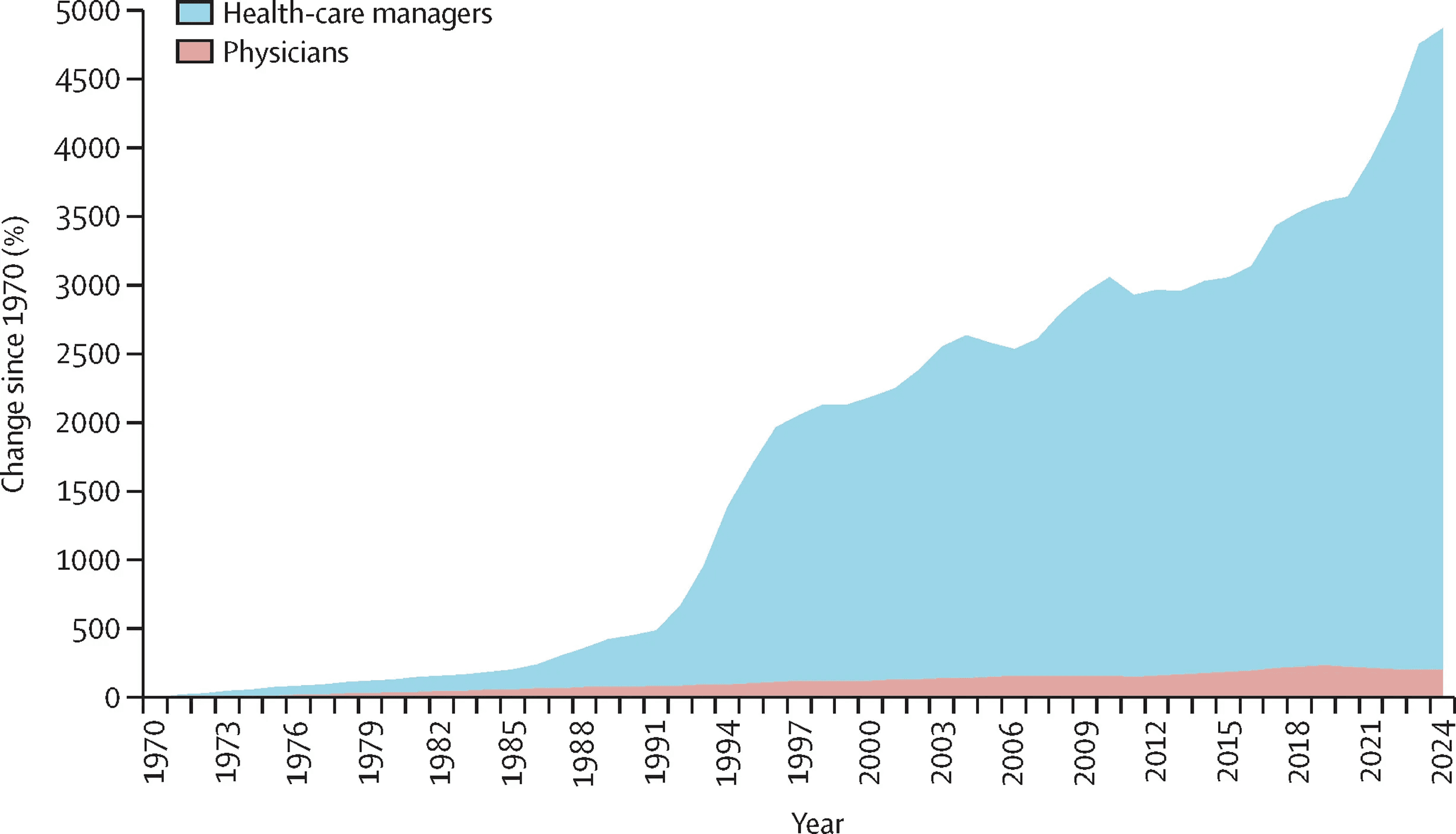
The Healthcare Ops Bottleneck AI Is Finally Ready to Solve
Healthcare’s hardest workflows live between portals, PDFs, phone calls, and internal systems. Here is how Champ automates the work between them.