
Windows PC or server · RDP · No install

Your desktop EMR. Now automated.
Automate workflows in the software your team already uses, without waiting for an API integration or replacing your existing systems.
What it does
The work no API could reach. Now in your workflow.
Champ connects to an existing Windows PC or server over Remote Desktop (RDP) and operates the applications on that machine. No additional software needs to be installed on it.
01
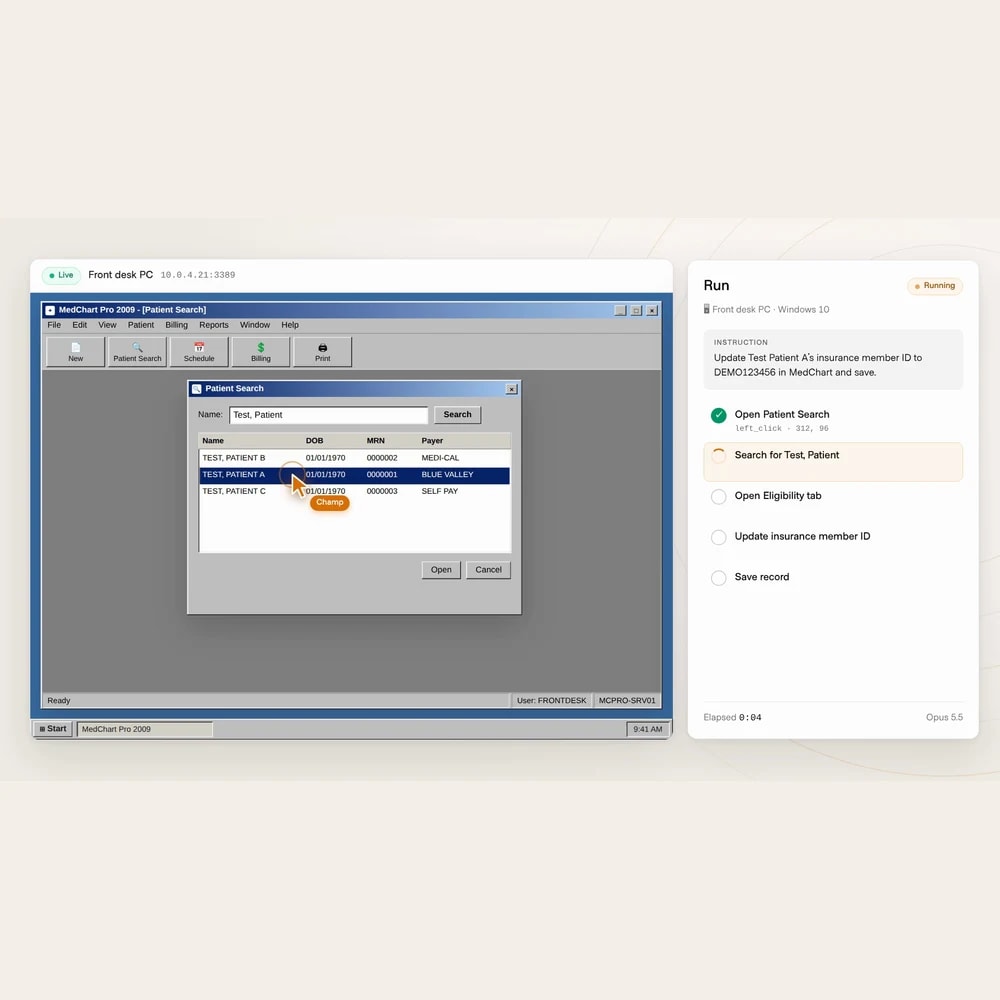
Work inside your desktop EMR.
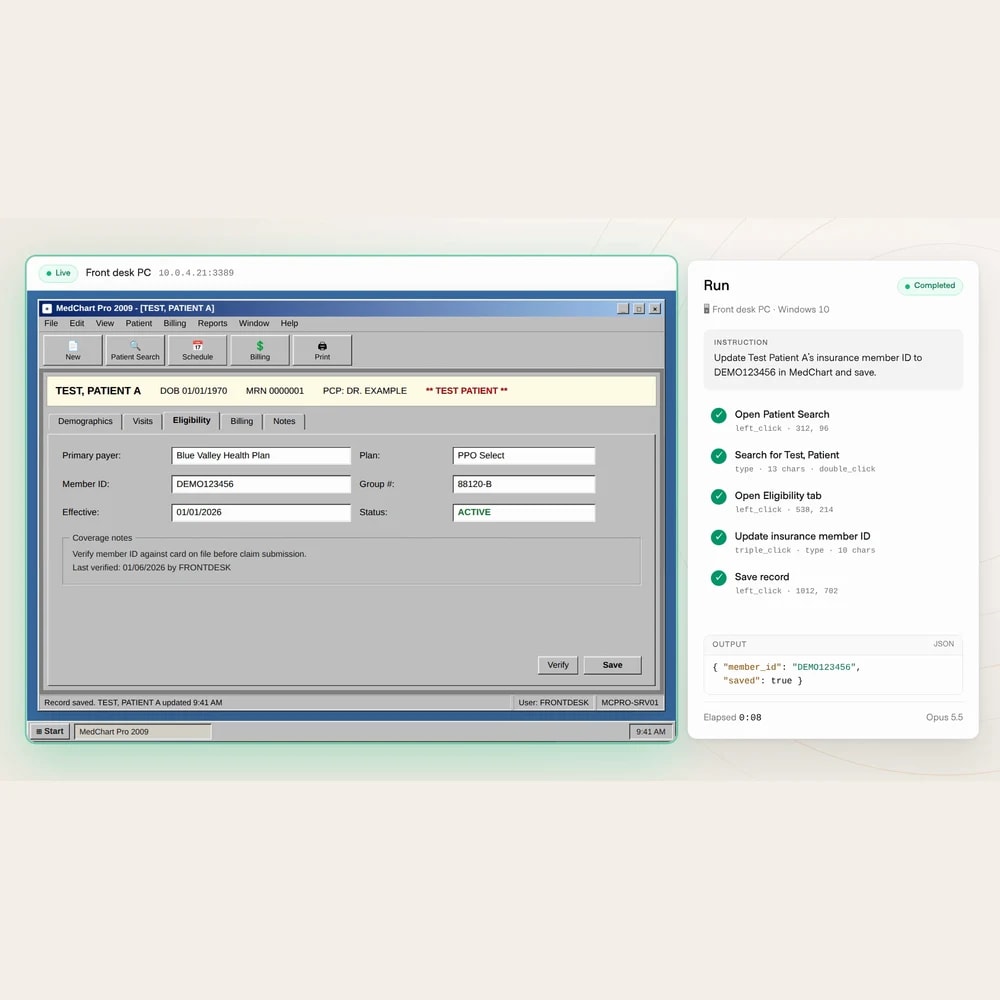
Find the record. Make the update. Save the work.
- Search for a patient in the same desktop application your team uses.
- Open the record and update fields such as an insurance member ID.
- Save changes in the source system, instead of leaving another task for your staff.
02
Keep your software and licenses.
Connect over RDP. Install nothing on the machine.
- Connect Champ to an existing Windows PC or server that accepts Remote Desktop connections.
- Use the applications and licenses already available on that machine.
- Automate through the application interface without building an API integration or replacing the system.
03
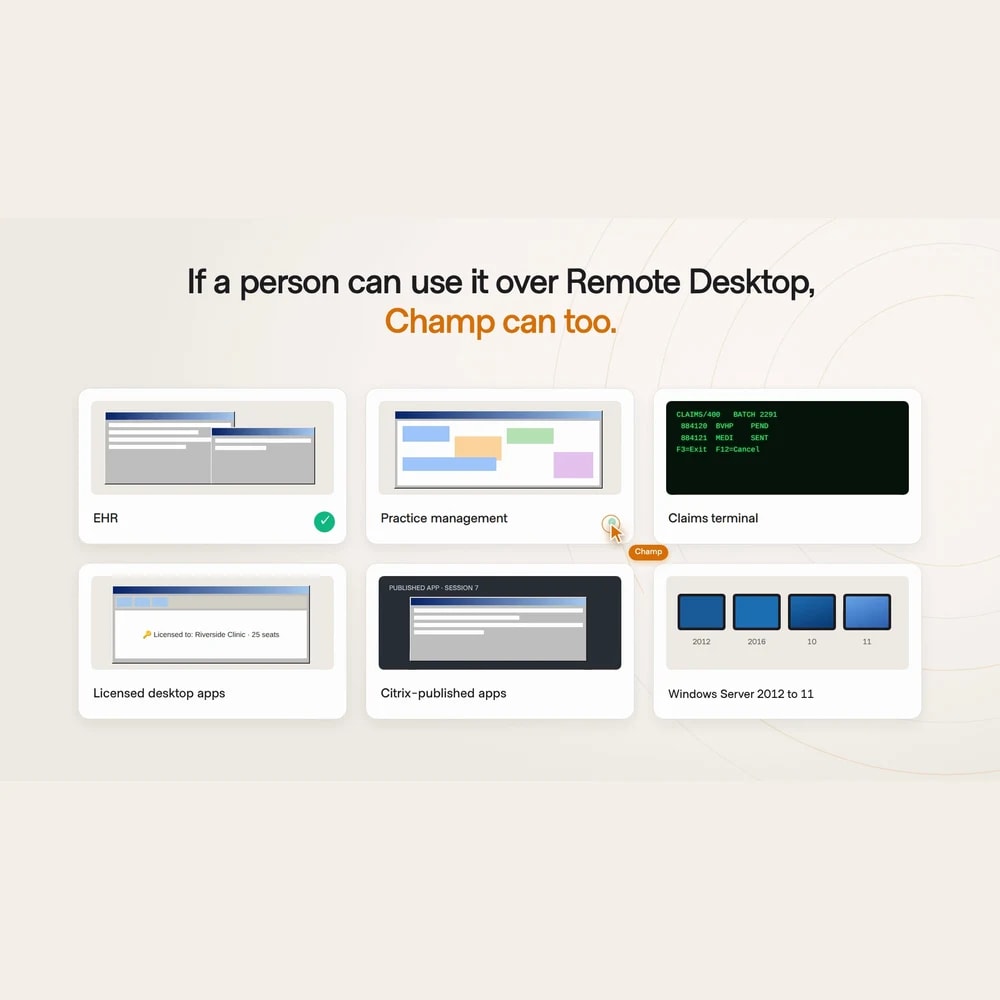
Carry portal work through to the desktop.
One process, across the systems it actually touches.
- Use browser agents for healthcare portals and remote computer use for Windows applications.
- Bring desktop EMRs, practice management systems, and claims terminals into your automation.
- Operate Citrix-published applications available within the connected Windows desktop.

How it works
An existing desktop. A clear task. Work completed.
Start with a process your team repeats today. Champ carries it out inside the applications you already use.
See it on your workflowConnect the machine
Connect an existing Windows PC or server over RDP using an authorized account. The software and licenses stay on that machine, with no additional installation.
Define the work
Give Champ a concrete task, such as finding a test patient and updating their insurance member ID. Include it in the workflow alongside the portal steps your team already runs.
Complete it in the application
Champ navigates the desktop interface, enters the update, and saves the record. The work lands in your existing system.
Where it runs
Your Windows machine. Your existing applications.
Windows PCs and servers
Connect to a machine that accepts RDP connections and has the applications and access needed for the task.
Desktop healthcare systems
Operate desktop EMRs, practice management systems, and claims terminals through their existing interfaces.
Citrix-published applications
Work in applications published through Citrix and available in the Windows desktop Champ connects to over RDP.
Windows workflows beyond healthcare
The same capability applies to Windows applications and remote desktops used by finance, logistics, and other operations teams.
What you can automate
Move the work forward in the system of record.
Start with healthcare operations. Extend the same approach to repeatable work in Windows applications across industries.

Patient record updates
Find a patient, update insurance details, and save the record in a desktop EMR.

Practice management work
Look up patient accounts and enter administrative updates in the existing Windows application.

Claims terminal tasks
Look up claims and enter updates through the terminal interface your billing team uses.

Citrix application workflows
Navigate forms and update records in published applications on the connected desktop.

Finance and logistics operations
Look up records and enter updates in Windows finance tools, dispatch systems, and remote desktops.